EV controls
Your vehicle
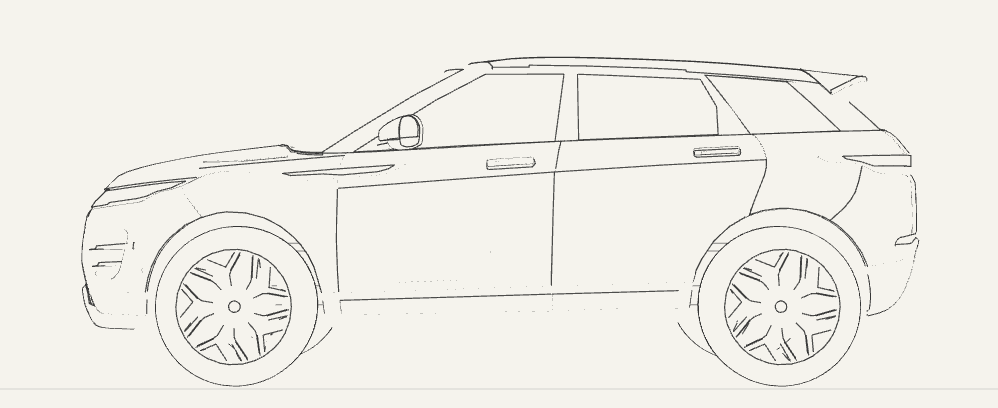 Preparing 3D view…
Choose a vehicle view → adjust the cabin → control media
View sourceAbout this download
A standalone Vite and React project using Vlak 0.5.0. Extract the ZIP, open its folder, then run npm install and npm run dev. Requires Node 22.12 or newer.
Driving, charging, media and cabin controls are local simulations. No vehicle or navigation service is connected. The Evoque model is by tonielpro520 under CC BY 4.0; keep the supplied model attribution. A static illustration remains available without WebGL.
Asset attribution and license notices are included in CREDITS.md and linked from the running project.
Inside the interface
A detailed vehicle model connects three views of the same electric concept. Vehicle opens in side profile; Journey rotates smoothly into a third-person chase camera with moving wheels and a looping 3D streetscape; Energy reveals the battery modules and their current load. Cabin, charging and media controls share the same flush panels and typography as the other Vlak workspaces.
Three.js renders the licensed Evoque geometry with paper-colored surfaces and a simplified selection of source contours. The electric system, battery assembly, vehicle settings and journey are fictional simulations, independent of the source vehicle's engineering. The player shows Fortress Down by Loathe; playback controls are simulated and do not stream audio.
Watch the 20-second walkthrough
A short walkthrough of the working ev controls study.
Components used
- Button
- Card
- Icon
- Progress
- Toggle group
- Metric
- Number field
- Playback controls
- Media scrubber
- Connection status
2022 Land Rover Range Rover Evoque by tonielpro520, licensed under CC BY 4.0. Original geometry retained, with simplified source contours and monochrome materials.
Use this as a starting point
Build with Vlak
Install the components, add the stylesheet, and bring your own content. The study’s source shows how the pieces fit together.
npm install @noorddev/vlak-reactimport "@noorddev/vlak-react/css";Start with your coding agent
A ready-to-use brief with this study, Vlak’s components, and the design guide.
Component modifications
- Flush working panels separate the vehicle visualization from local controls. Metrics present range and battery records; a focused inspector keeps cabin, charging and media actions readable.
- Toggle group switches Vehicle, Journey, and Energy views. Buttons and Icons handle local vehicle settings, climate, and media, retaining the small control radius and centered icon geometry.
- Playback controls and Media scrubber provide transport and seeking. Number field edits cabin temperature with reachable increase and decrease actions. Connection status reports the local phone state.
- The local Three.js scene uses fine outlines with background-colored faces. The Journey view follows the car through a looping monochrome streetscape with real perspective; Energy reveals the battery assembly. Range and battery, cabin and media blocks open sliding detail panes. Headlights switch the site to night mode and illuminate the road. Charge and cabin settings update the displayed load.
- Three persistent blocks open Range & battery, Cabin and Media details. A right-hand pane slides over the vehicle on narrow screens and sits beside it on wide screens. Tap the active block again, close the pane or press Escape to return to the larger visualization.